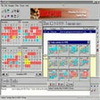
Organize encrypted desktop notes with reminders, custom skins, and secure syncing across devices
Organize encrypted desktop notes with reminders, custom skins, and secure syncing across devices
Vote (8 votes)
Program license Free
Developer TuYaPing
Version 1.0.0.4
Works under Windows
Vote
(8 votes)
Developer
TuYaPing
Works under
Windows
Program license
Free
Version
1.0.0.4
Pros
- Highly customizable note appearance with skin wizard and image backgrounds
- Robust synchronization with encryption for data security
- Intuitive hide-and-show functionality reduces desktop clutter
- Lightweight footprint with minimal resource usage
- Advanced reminder and pinning features
Cons
- Syncing requires setting up an online account
- Some advanced customization options may have a learning curve
- No direct integration with popular cloud storage services
Keep important information at your fingertips with customizable desktop notes.
Overview
Cute Sticky Notes for Win 8+ offers a modern take on classic sticky notes, bringing a suite of innovative organizational tools to Windows PCs. More than a simple note-taking app, it enables users to manage reminders, customize appearance, and synchronize notes across devices, all from a lightweight package.
User Interface and Experience
This application features a clean and unobtrusive design. Notes can be easily created, resized, and positioned anywhere on the desktop. A standout function lets users drag notes to the edge of the screen, minimizing visual clutter while keeping quick access available—when the mouse hovers near the screen’s edge, hidden notes reappear instantly.
Customization and Skins
A wide variety of built-in skins allows users to personalize notes for both aesthetic and organizational purposes. Custom backgrounds can be applied to notes with a simple drag-and-drop of images, while the skin wizard enables further tailoring of colors and fonts to suit any workspace. This level of customization helps users differentiate between tasks and categories at a glance.
Productivity Features
Cute Sticky Notes integrates several productivity enhancements:
- Stay-on-Top: Notes can be set to float above other windows or pinned specifically to individual applications—for example, keeping a note attached to a particular Word document.
- Quick Paste: Keyboard shortcuts facilitate rapid copying and pasting of text or images, streamlining workflow compared to traditional notepad applications.
- Reminders: Flexible scheduling options are available, supporting one-time, recurring (daily, weekly, yearly), or custom reminders directly from any note.
- Backup & Restore: Notes can be saved to individual files or a database for backup, making it easy to secure information or migrate to a new device.
Synchronization and Security
For users switching between devices, encrypted sync with the developer’s official site allows for secure reading and editing of notes on PCs and mobile platforms. This feature supports productivity on the go, without sacrificing privacy.
Performance and Resource Usage
With a compressed package of just 0.4MB and low demands on CPU and memory, Cute Sticky Notes maintains system responsiveness even when managing multiple notes and reminders. Its lightweight design makes it suitable for older hardware as well as modern systems.
Compatibility
Optimized for Windows 8 and newer versions, the software ensures stability and a smooth user experience on the latest Windows devices.
Pros
- Highly customizable note appearance with skin wizard and image backgrounds
- Robust synchronization with encryption for data security
- Intuitive hide-and-show functionality reduces desktop clutter
- Lightweight footprint with minimal resource usage
- Advanced reminder and pinning features
Cons
- Syncing requires setting up an online account
- Some advanced customization options may have a learning curve
- No direct integration with popular cloud storage services